The Moment You've Worked Toward Is the Moment Most WordPress Sites Fail
You land a feature in a major publication. A tweet about your product goes viral. Your Black Friday campaign hits harder than projected. These are the moments every business builds toward — and they're also when a poorly prepared WordPress site collapses under its own success.
This isn't a theoretical risk. It's an operational pattern. The architecture decisions you didn't make six months ago become a crisis at 11 PM on launch night.
Let's be direct about what's actually happening at the infrastructure layer, why most WordPress setups aren't built to survive their own success, and what you need in place before the traffic hits — not after.
Why WordPress Struggles Under Load (and It's Not What You Think)
The default assumption is that a traffic spike is a hosting problem. Buy a bigger server. Done.
That's wrong.
WordPress, by default, generates pages dynamically. Every request triggers PHP execution, a database query, and response assembly. On a quiet Tuesday, that's fine. Under 10,000 simultaneous visitors, that dynamic stack becomes a bottleneck at every layer: PHP workers exhaust, MySQL connections queue up, and response times balloon until the server returns 503 errors.
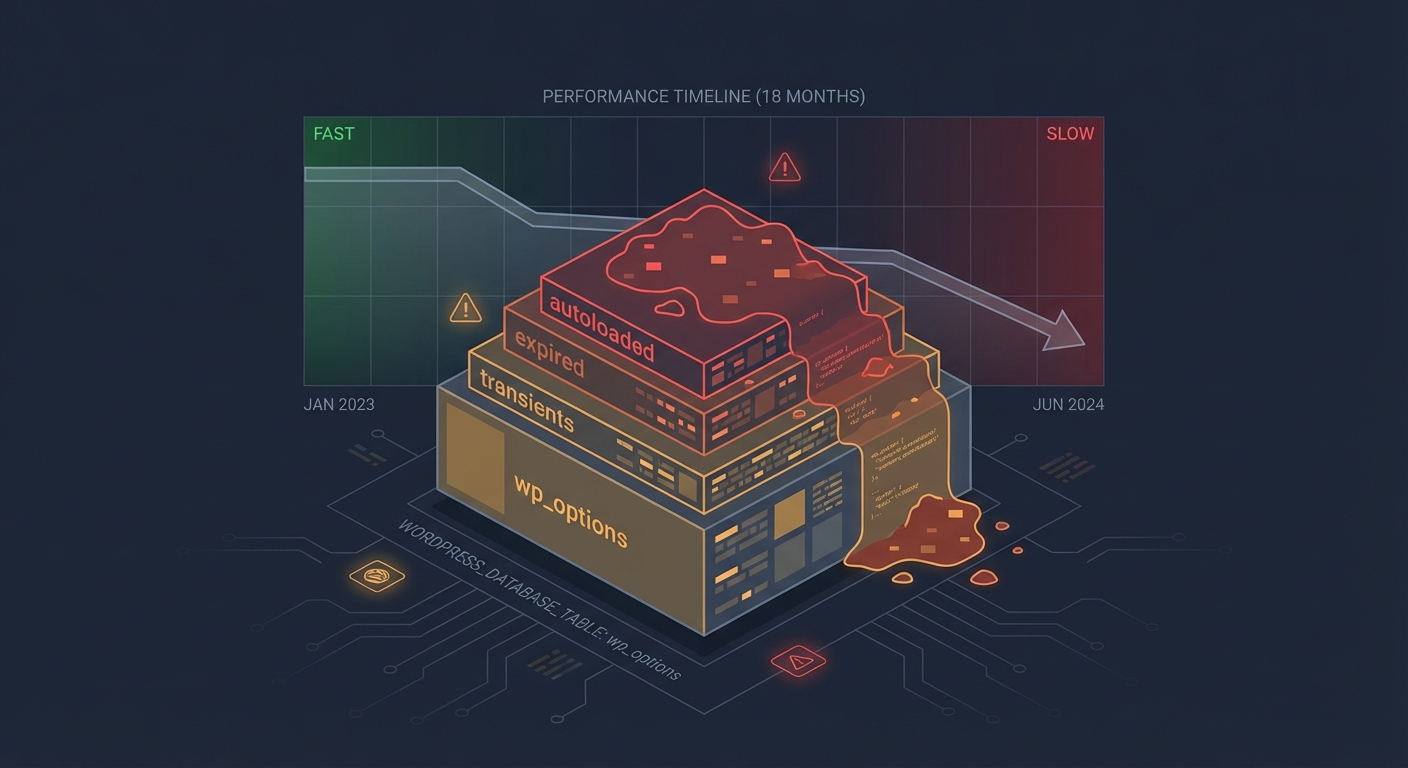
This is a PHP exhaustion problem, an uncached query problem, and often a wp_options table problem — not just a hosting problem.
The wp_options table, particularly the autoloaded data column, gets queried on nearly every WordPress page load. When autoloaded data accumulates — abandoned plugins write rows here constantly — you're pulling hundreds of kilobytes of dead data on every single request. Under load, that overhead compounds fast.
Meanwhile, WordPress cron jobs (wp-cron) run on page load rather than a true system cron. Under high traffic, you get dozens of cron processes firing simultaneously, consuming PHP workers that should be serving real users. That's a silent killer most site owners never diagnose.
What a Real Traffic Spike Looks Like at the Server Level
Here's a cost model that makes this concrete.
Imagine a WooCommerce store averaging $6,000/day during a product launch week. That's roughly $250/hour in revenue. If the site crashes at peak traffic for four hours — during the window when your campaign is live and your audience is most engaged — that's $1,000 in direct revenue loss. But the compounding damage is worse: ad spend wasted, email momentum killed, and social proof evaporating when people can't even load your store.
That's not a server bill problem. That's a planning problem.
And the fix doesn't start with your host. It starts with your stack.
The Four Layers You Need to Harden Before a Traffic Event
1. Caching — The First Line of Defense
Most WordPress sites have a caching plugin installed. Most of those caching configurations are wrong.
Effective caching means:
- Full-page cache serving static HTML to unauthenticated users — zero PHP, zero database
- Object cache (Redis or Memcached) for logged-in users and dynamic queries, reducing database round-trips
- Browser caching correctly configured at the server level, not just through the plugin
- Bypass rules properly set so WooCommerce cart and checkout pages aren't cached (and don't serve stale cart data)
The failure mode we see most often: full-page cache is enabled, but WooCommerce exclusion rules are wrong. Either cart pages get cached (breaking checkout) or too many pages are excluded (negating the cache benefit under load).
Using WP-CLI, you can verify your cache hit ratio and flush targeted cache layers without taking the site offline. Under load testing, if your cache hit rate isn't above 85% for anonymous traffic, you have a configuration problem — not a hardware problem.
2. CDN Configuration — Not Optional for Traffic Events
A CDN doesn't just make your site faster. Under a traffic spike, it absorbs the request volume before it ever reaches your origin server.
But CDN misconfiguration creates its own failure modes. If your CDN isn't set up to cache WordPress pages correctly — or if it's aggressively caching dynamic routes — you'll either overload your origin or serve stale pages to users.
The specific risk for WooCommerce: CDN cache rules must exclude /cart, /checkout, /my-account, and any AJAX endpoints. Get that wrong, and you serve one user's cart data to another. That's both a UX failure and a GDPR issue.
Correct CDN setup also means your static assets (images, CSS, JS) are served from edge nodes, your origin only handles dynamic requests, and REST API endpoints are handled with appropriate cache-control headers — not cached indefinitely.
3. Hosting Architecture — Scalability Is a Technical Requirement
Shared hosting will not survive a traffic event. Neither will most standard VPS configurations without tuning.
The architecture you need before a launch:
- PHP worker count scaled to your projected concurrent user load
- MySQL connection pooling to prevent connection exhaustion under burst traffic
- Horizontal scaling capability — the ability to spin up additional app servers behind a load balancer without a 45-minute rebuild process
- PHP version compatibility — running PHP 8.2+ isn't just a security posture; modern PHP is 2–3x faster than PHP 7.4 on equivalent workloads
If your host can't answer "how many PHP workers does my plan allocate, and how do I scale that number in real-time?" — that's your answer about whether they're ready for a traffic event.
4. Load Testing — The Step Almost Everyone Skips
Load testing before a launch is the difference between discovering your breaking point in a controlled environment versus discovering it with a journalist's link live and 40,000 people trying to reach your store.
Tools like k6, Loader.io, or Apache JMeter let you simulate concurrent user loads against your staging environment. But the staging environment must mirror production — same PHP version, same caching configuration, same database size.
The specific things to measure under simulated load:
- Time to First Byte (TTFB) degradation curve as concurrent users increase
- PHP worker exhaustion threshold — the point where new requests queue rather than process
- Database connection limit — MySQL's
max_connectionssetting versus your actual connection count under load - Cron behavior — whether
wp-cronfires multiply under high traffic (it will, unless you've disabled it and implemented a true system cron)
Across the WordPress audits we conduct, sites that have never had a load test are the ones that fail hardest under real traffic. That's not a criticism — it's just the reality of how most sites are built: reactively, not engineered for scale.
The Staging and Rollback Problem
Here's a failure mode that compounds every other issue: you make infrastructure changes the morning of launch day.
You update your caching plugin. You switch CDN providers. You flip a server configuration because someone in a forum said it would help.
And then something breaks, and you have no rollback path.
A proper staging workflow means launch-week changes are tested in a staging environment at least 72 hours before going live. A staging site with production-parity data, load-tested under realistic traffic assumptions, with a documented rollback strategy that can restore the previous state in under 15 minutes.
That's not overcaution. That's engineering discipline.
WP-CLI makes this tractable — database exports, plugin state snapshots, configuration comparisons between staging and production. If you're not using WP-CLI as part of your pre-launch process, you're operating on hope.
What You Should Have in Place 30 Days Before Any Traffic Event
These aren't morning-of checklist items. These are 30-day-out requirements:
Infrastructure audit — PHP version, autoloaded wp_options data, plugin abandonment risk (outdated or unmaintained plugins under load are a wildcard), and current cache configuration.
CDN review — Confirm caching rules, exclusion paths, and origin pull behavior. Use Query Monitor diagnostics to identify uncached dynamic queries that'll scale badly.
Hosting capacity conversation — Confirm PHP worker allocation, MySQL connection limits, and scaling options with your host. Get written confirmation, not a sales answer.
Load test against staging — Simulate 2–3x your projected peak traffic. Identify the breaking point before it matters.
Rollback strategy documented — Who does what, in what order, if something fails at launch time. This should be a documented runbook, not a panicked Slack thread.
Cron audit — Disable wp-cron in wp-config.php and implement a real system cron. Under high traffic, this alone prevents a class of failure that takes down otherwise well-prepared sites.
For a consolidated view of what proper pre-launch preparation covers, our WordPress maintenance checklist walks through the operational layer in full.
The Hosting Reality Check
A managed WordPress host with autoscaling isn't a luxury for growing businesses — it's table stakes for any site planning a traffic event.
The argument "I'll upgrade my hosting after the launch" is backwards. You need the infrastructure in place before the traffic hits. Autoscaling takes minutes to configure but hours (or days) to provision reactively in a crisis.
Look for hosting that offers:
- Autoscaling compute capacity
- Built-in Redis object caching
- Server-level full-page caching (not just plugin-level)
- Real-time monitoring with alert thresholds
At Vimsy, our WordPress performance and care services include pre-launch infrastructure reviews specifically built around traffic readiness — because finding out your stack breaks at 500 concurrent users is useful information before your PR hits, not after.
The Monitoring Gap
Most businesses know something is wrong when their phone starts ringing, not when the server starts struggling.
Real traffic event readiness includes uptime monitoring with sub-minute polling, server resource alerts (CPU, PHP workers, MySQL connections), and real-user monitoring to catch TTFB degradation before it becomes a complete outage.
If your monitoring strategy is "check the site manually" — that's not monitoring. That's hoping.
A well-configured monitoring stack costs less than one hour of downtime during a launch event. Explore Vimsy's maintenance and monitoring plans to see what comprehensive coverage actually looks like.
What This Actually Costs to Get Right
Comprehensive traffic-readiness — CDN configuration, caching audit, hosting review, staging build, load testing, and monitoring setup — is a defined scope of work.
The alternative is paying for emergency recovery after a failed launch. Emergency WordPress support during a live traffic event costs more, resolves slower, and doesn't undo the revenue and brand damage that already happened.
Preparation is always cheaper than recovery. That math doesn't change regardless of your site's size.
Look — Here's the Honest Version
Most WordPress sites aren't built to scale. They're built to work. Those are different things.
The gap between "works fine on a normal day" and "survives a viral moment" is a set of specific, solvable technical decisions: caching done right, CDN configured correctly, PHP workers allocated properly, wp-cron replaced with a real system cron, autoloaded data cleaned from wp_options, staging parity maintained, and a rollback plan that exists before you need it.
None of this is exotic. All of it requires knowing what you're doing.
Look — I'm writing this because this is a problem I see constantly, and it's also exactly what we built Vimsy to solve. If you want professionals handling this instead of hoping nothing breaks, book a free call: schedule your consultation here.
Because the worst time to find out your WordPress site breaks at 800 concurrent users is when 800 concurrent users are trying to access it.