Checkout abandonment doesn't announce itself. There's no alert, no error log, no angry email from a customer who almost bought. The revenue just doesn't show up — and most store owners never connect the cause to the checkout page itself.
The average documented cart abandonment rate across e-commerce sits around 70%. For WooCommerce specifically, a significant portion of that abandonment happens during checkout — not before it. The customer decided to buy. Something on your checkout page made them stop. That's a different problem than marketing. That's a conversion infrastructure problem.
Here's what makes this harder to see: WooCommerce's default checkout is technically functional. It processes orders. But "functional" and "optimized" are not the same thing — and the gap between the two is where revenue quietly disappears.
The Default WooCommerce Checkout Is Built for Compatibility, Not Speed
WooCommerce ships with a checkout that handles most general cases adequately. It also loads a significant amount of JavaScript it may not need for your specific store, renders form fields that may be irrelevant to your product catalog, and runs multiple server-side queries to verify cart state, session data, and pricing rules — every time the checkout page loads.
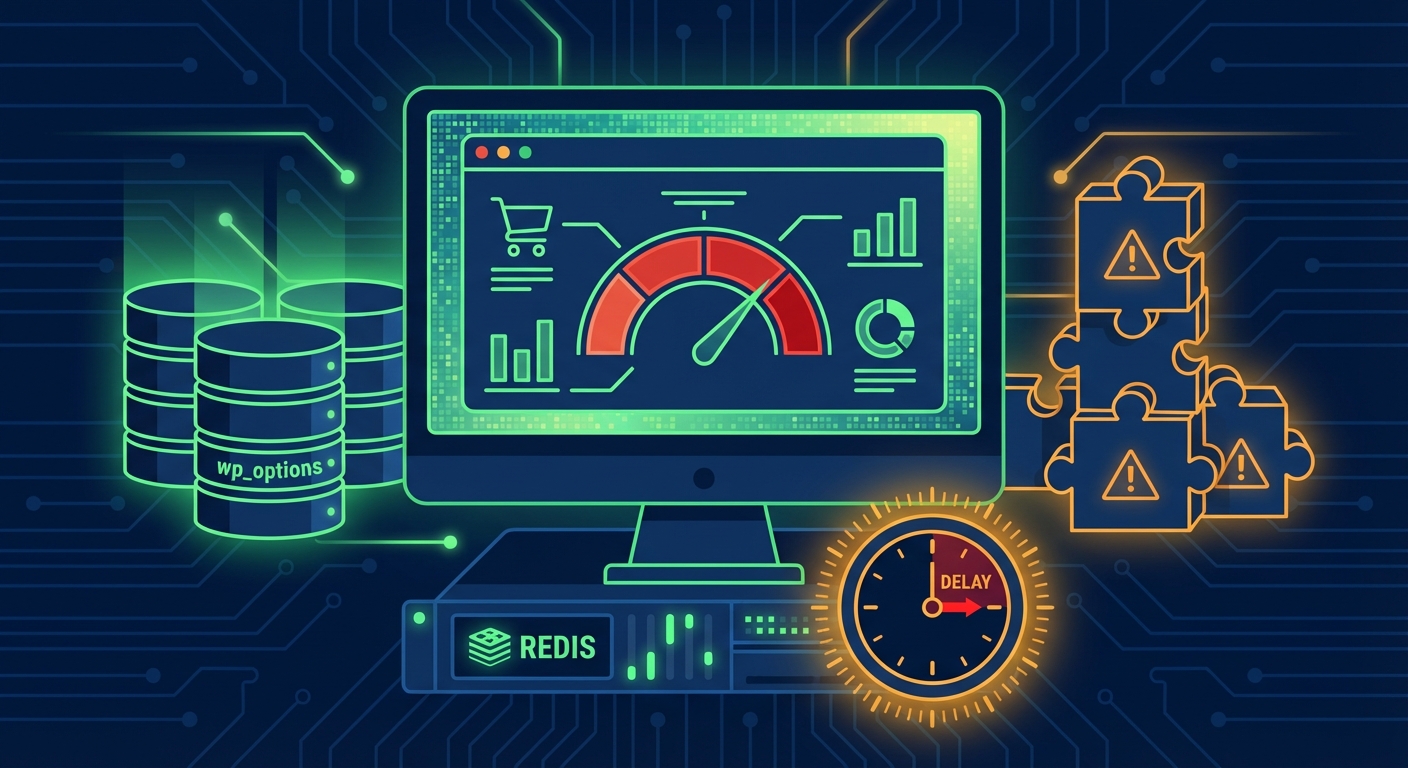
The wp_options table is frequently where this gets expensive. WooCommerce stores session data, transients, and configuration values in wp_options with autoload enabled. When checkout initializes, WordPress executes a query pulling all autoloaded rows — and if that table has grown unchecked (expired transients, abandoned sessions, bloated plugin options), checkout initialization slows down before a single form field renders.
Run this in WP-CLI and look at what you find:
wp db query "SELECT COUNT(*) FROM wp_options WHERE autoload='yes';"
If you're above 1,000 autoloaded rows and haven't audited recently, checkout latency likely has a database component most performance plugins won't surface clearly.
Beyond wp_options, WooCommerce's REST API endpoints power the block-based checkout introduced in recent versions. Without proper object caching configured — Redis or Memcached connected via a persistent object cache drop-in — each API call to validate cart state hits the database directly. Under real checkout load, that compounds fast.
Form Fields Are a Friction Tax
Every unnecessary field in your checkout form is a micro-decision you're forcing on the customer. Research consistently shows that reducing checkout form fields decreases abandonment. This isn't a design opinion — it's a measurement.
WooCommerce's default billing form includes first name, last name, company name, country, address lines, city, state, postcode, phone, and email. That's up to 11 fields before the customer reaches payment. For a digital product, a subscription, or a low-complexity physical shipment, most of those fields serve little functional purpose beyond satisfying a default configuration.
The friction audit is straightforward: Go through your own checkout. For each field, ask: does removing or auto-populating this field break order fulfillment, customer communication, or legal compliance? If the answer is no, remove it or make it optional.
WooCommerce gives you programmatic control via the woocommerce_checkout_fields filter. Use it. A stripped-down checkout form tuned for your specific product types performs better than a generic one borrowed from a theme demo.
Address autocomplete — via the Google Places API or a service like Loqate — reduces the entry burden and cuts address-related order errors simultaneously. Most WooCommerce stores don't have this configured. Most should.
Guest Checkout Is Not Optional If You Care About Conversion
Forcing account creation at checkout is one of the highest-friction decisions a WooCommerce store can make. It consistently appears in checkout UX research as a top abandonment trigger.
The logic store owners use: "We want customer accounts for repeat purchase tracking."
The problem: the customer hasn't completed their first purchase yet. Requiring registration before they do prioritizes your CRM over their transaction. That's not smart retention strategy. That's self-sabotage.
WooCommerce supports guest checkout natively. Many stores have it disabled — either by deliberate configuration or because a plugin or theme toggled the setting without explanation. Check WooCommerce → Settings → Accounts & Privacy and verify guest checkout is enabled.
If you want account creation, prompt for it post-purchase. The customer has completed the transaction, they're in a positive state, and registration at that point converts at a higher rate with zero abandonment risk attached.
Checkout Page Speed: What Core Web Vitals Don't Capture
Google's Core Web Vitals measure load performance on publicly crawlable pages. The checkout page is typically session-gated, meaning Lighthouse scores and CWV field data may not reflect what your actual customers experience during the transaction.
This matters because you may have a "good" PageSpeed score and still have a checkout page with 4–6 second time-to-interactive under real load. Your dashboard says green. Your customers are leaving.
Factors that degrade checkout speed in practice:
1. Unoptimized payment gateway scripts
Payment gateways — Stripe, PayPal, Square — load their own JavaScript, often unconditionally across the entire site. These scripts add render weight to every page, not just checkout. Configure asset loading conditionally so payment scripts fire only on cart and checkout pages. This is not a complex change. It's a missing configuration that most stores never make.
2. PHP version mismatches
WooCommerce's performance improvements in recent versions are tied to PHP 8.x. Running PHP 7.4 on a modern WooCommerce installation means you're missing significant execution speed gains. Outdated PHP versions are one of the top causes of avoidable WooCommerce slowdowns — and one of the easiest to fix. Check your version in Tools → Site Health and upgrade through your host if you're below PHP 8.1.
3. Cron job accumulation
WooCommerce schedules background tasks via WP-Cron — order status checks, stock updates, session cleanup. When cron jobs accumulate without proper triggering (a common issue on high-traffic stores relying on WordPress's default pseudo-cron system), they fire in bulk during checkout page loads, consuming server resources mid-transaction.
Decouple WP-Cron from page load requests by disabling it in wp-config.php:
define('DISABLE_WP_CRON', true);
Then configure a real server cron via crontab to trigger wp-cron.php on a reliable schedule. This alone can meaningfully reduce checkout latency on stores with significant order volume.
4. Missing database indexing on order tables
WooCommerce generates substantial database write volume. The wp_posts, wp_postmeta, and — in WooCommerce 8.x+ using High-Performance Order Storage (HPOS) — the wc_orders table all need appropriate indexing. Without it, queries that look up order history, validate coupon use, or check stock levels at checkout slow down as your order volume scales. Use Query Monitor diagnostics during a live checkout flow to surface slow queries before they degrade conversion silently.
Trust Signals Are Part of Checkout Performance
Checkout optimization isn't only a speed problem. It's a confidence problem.
A customer on your checkout page has already decided to buy. What stops them is uncertainty: Is this site legitimate? Is my payment data secure? Will this order actually arrive?
Trust signals that reduce abandonment at the point of purchase:
- SSL and HTTPS — expected baseline, but verify no mixed content errors are silently undermining it
- Payment security badges — Stripe's security messaging and "Secured by" indicators placed near the payment form
- Clear return policy link — near the order summary, not buried in the footer where nobody reads it
- Estimated delivery date — showing "Arrives by [date]" at checkout measurably reduces last-second hesitation
- Live chat or support access — customers with last-minute questions who can't get answers close the tab
None of these require significant development work. Most require configuration decisions. But across dozens of WooCommerce audits, these signals are routinely missing from stores that have spent money on themes and plugins while neglecting the checkout experience itself.
The Staging Workflow Most Stores Don't Have
Most WooCommerce stores don't run a staging environment with real checkout flow testing in place. Changes to payment gateways, shipping logic, or coupon systems get pushed live and tested on real customers.
A broken checkout — even temporarily — under any meaningful traffic load causes revenue loss that's both immediate and disproportionate. A customer who hits a broken checkout doesn't wait, doesn't email, doesn't come back. They close the tab and buy from someone else.
A proper staging workflow for WooCommerce means:
- A mirrored staging environment matching production PHP version, plugin versions, and database state
- Payment gateway test mode verified on staging before every plugin update touches production
- A documented rollback strategy: if a plugin update breaks checkout, you restore within minutes, not hours
WP-CLI makes environment parity manageable. But the workflow has to actually exist and be used — not just assumed because your host offers a "one-click staging" button you've never configured properly.
What This Costs Without a Dramatic Number
For a WooCommerce store averaging $3,000/day in revenue, a checkout page that's 3 seconds slower than it should be doesn't fail dramatically. It just converts at a lower rate. Research consistently ties checkout speed improvements to 15–20% conversion gains. That's $450–$600/day in revenue the store structurally leaves behind. Not from a crash. Not from a hack. From a checkout nobody ever optimized.
That math runs every single day until someone addresses it.
Checkout performance is not a one-time fix. It degrades as plugins update, as order volume scales, as your catalog grows and database queries multiply. It needs active maintenance and periodic re-auditing — not a one-time tweak and a forgotten task.
Where Vimsy Comes In
Our WooCommerce performance and Commerce Boost services are built specifically around checkout speed, database optimization, object cache configuration, payment gateway asset loading, and the cron architecture most store owners never examine.
If your store generates meaningful revenue and your checkout hasn't been professionally audited, you're almost certainly leaving money behind in ways that don't appear in your analytics dashboard.
Our WordPress maintenance and performance plans include ongoing checkout monitoring, staged update workflows, and database health reviews — so performance doesn't silently degrade between audits.
If you've already experienced a sudden checkout failure or payment flow issue, our emergency WordPress support provides immediate response when you can't afford to wait.
Look — I'm writing this because this is a problem I see constantly, and it's also exactly what we built Vimsy to solve. If you want professionals handling this instead of hoping nothing breaks, book a free call.
Your checkout is either working for you or working against you. Most of you reading this don't actually know which one it is.