WPSitePlan Review 2025: Features, Pricing, and How It Stacks Up
Managed WordPress maintenance is a crowded market. That's a good thing — it means site owners are finally taking ongoing care seriously. But not every plan is built the same way, and picking the wrong one doesn't just waste money. It leaves real gaps in your site's security, performance, and recovery posture.
WPSitePlan is one of the more visible names in this space. If you've been researching WordPress care plans, you've probably encountered them. This review breaks down what they actually offer, where they fall short, and how their approach compares to what we do at Vimsy — without the usual chest-thumping.
What WPSitePlan Offers
WPSitePlan positions itself as a reliable, affordable maintenance service for WordPress sites. Their plans typically include:
- Plugin and theme updates — routine updates applied on a scheduled basis
- Daily or weekly backups — stored offsite, with restoration available on request
- Uptime monitoring — alerts when the site goes offline
- Monthly reports — PDF summaries of work performed
- Security scanning — automated scans for known malware signatures
On the surface, that list covers the basics. For a small brochure site that doesn't generate revenue, WPSitePlan's entry-level tier may be perfectly adequate. The interface is clean. The onboarding is straightforward. They've built a solid reputation for delivering exactly what they advertise.
That last sentence matters. Because what they advertise and what WordPress sites actually need are not always the same thing.
The Myth This Review Needs to Challenge First
Myth: Scheduled updates + backups = maintenance.
This is the default belief in the market, and it's wrong.
Running updates and storing backups is closer to hygiene than maintenance. It's necessary — but it doesn't constitute a system. Here's why: the actual failure modes in WordPress aren't usually "update didn't run." They're subtler, more expensive, and almost invisible until they aren't.
The wp_options table accumulates autoloaded data from every plugin, theme, and API call your site makes. Over time — especially on WooCommerce installs, membership sites, or anything with heavy plugin stacks — that table bloats silently. A site carrying 4MB or more of autoloaded data on every page load is running significantly slower than it should, and no scheduled update catches it.
Transient accumulation is the same story. WordPress uses transients as a short-term caching layer, but orphaned transients pile up in the database. Without periodic cleanup — or better, without a properly configured object cache — you're carrying dead weight on every query. Page generation times creep up. Checkout flows slow down. Conversion rates drop. And your maintenance dashboard still shows everything green.
WP-Cron deserves its own paragraph. Most WordPress sites rely on the built-in cron system for scheduled tasks: email sends, subscription renewals, index updates, WooCommerce order processing. WP-Cron only fires when someone visits the site. On low-traffic sites, jobs can silently miss their scheduled window entirely. On high-traffic sites, multiple concurrent cron executions cause performance spikes that are nearly impossible to diagnose without specifically monitoring cron health.
Neither scenario shows up in a monthly PDF report. Neither gets caught by an uptime monitor. And if your maintenance provider isn't specifically tracking cron job health, you have a blind spot you probably don't know about.
Where WPSitePlan's Approach Has Structural Limits
This isn't about whether WPSitePlan is a bad service. It's about understanding what their model is optimized for — and what it isn't.
1. Reactive Security vs. Proactive Hardening
WPSitePlan's security layer is primarily scan-based. Automated scanners catch known malware signatures. They don't catch novel injections, .htaccess redirect chains planted by compromised plugins, or REST API endpoints left exposed by misconfigured access controls. According to Wordfence and other security researchers, the majority of WordPress compromises exploit vulnerabilities in outdated or abandoned plugins — often weeks or months before any visible symptoms appear.
Reactive scanning is better than nothing. It's not a hardening posture.
Plugin abandonment risk is a particularly underappreciated attack surface. A plugin that hasn't received a security update in 18 months but is still active on your site is a liability. Most scan-based security tools don't flag this. A proactive maintenance review does.
2. Update Cadence Without Staging
Pushing plugin updates directly to a live site without a staging environment is not a maintenance decision. It's a risk decision.
A plugin update that conflicts with your theme's JavaScript — or breaks WooCommerce checkout at the payment gateway level — causes immediate revenue impact. If you're running a store generating $2,500/day, that's roughly $104/hour in lost revenue during a checkout failure. The time to discover a broken checkout is not after a customer emails you. It's before you deploy.
Proper staging workflows involve cloning the environment, applying updates to the clone, running functional verification across critical paths (checkout, forms, login, API dependencies), and only then deploying to production with a tested rollback strategy in place. WPSitePlan's lower-tier plans don't universally include staging. For brochure sites, that's a reasonable tradeoff. For revenue-generating sites, it's a structural gap.
3. Performance Is Not in Scope
Uptime monitoring tells you whether your site is reachable. It says nothing about whether it's performing. A site loading in 6 seconds is technically "up." It's also converting at a fraction of its potential.
Standard WPSitePlan tiers don't typically include database indexing reviews, Query Monitor diagnostics to surface slow queries, or ongoing PHP version compatibility auditing across the full plugin stack. These aren't luxury services. They're the difference between a maintained site and an optimized one.
PHP version compatibility in particular deserves attention. Running an outdated PHP version — even PHP 7.4 in an environment where 8.2 is current — creates measurable performance gaps and, more critically, means your site runs on a version that no longer receives security patches. Most update-focused maintenance services won't surface this unless something actively breaks.
4. Emergency Response and Recovery
Most WordPress maintenance plans — WPSitePlan included — separate emergency response into a higher tier or charge it as an add-on. That's a defensible business model. But it's important to understand the implications before you sign.
If your site gets hacked during a product launch, or goes down during a high-traffic event, the response time matters more than almost anything else. Knowing in advance whether you have guaranteed emergency coverage — or whether you're opening a support ticket and waiting for tier escalation — is not a detail. It's a material difference in your operational risk.
How Vimsy Is Built Differently
I'm not going to pretend this section is neutral. It isn't. But I'll keep it specific.
Database health as a first-class concern. We regularly audit wp_options autoload data, clear orphaned transients, and review database indexing as part of standard operations — not as a billable extra. When we find a site carrying excessive autoloaded data or missing indexes on high-query tables, we fix it and document it. Most update-centric services never look.
Staging-first update workflow. Every significant update goes through a staging environment before it touches production. We use WP-CLI to push and verify updates, run automated checks across core functionality, and only deploy when the diff is clean. We maintain rollback capability at the point of each deployment. This isn't a premium feature. It's how updates should work.
Security hardening, not just scanning. Beyond malware scans, our security work includes reviewing .htaccess configurations, assessing REST API exposure, auditing PHP version compatibility across the full stack, and flagging plugin abandonment risk before it becomes an attack vector. We harden before problems emerge, not after.
Cron job monitoring. We specifically monitor WP-Cron health — not just whether the site is alive, but whether scheduled tasks are executing on schedule. For membership platforms, subscription-based WooCommerce stores, and any site with time-sensitive logic, cron failures have direct business consequences. We treat them accordingly.
Emergency support without a separate retainer. Emergency WordPress support is built into what we do, not an add-on tier. If something breaks, the response doesn't start with an upsell.
WPSitePlan vs. Vimsy: Direct Comparison
| Feature | WPSitePlan | Vimsy | |---|---|---| | Plugin/Theme Updates | ✅ Scheduled | ✅ Staged + WP-CLI | | Backups | ✅ Yes | ✅ Yes | | Uptime Monitoring | ✅ Yes | ✅ Yes | | Staging Workflow | ⚠️ Higher tiers only | ✅ Standard | | Database Optimization | ❌ Not standard | ✅ Standard | | Cron Job Monitoring | ❌ Not advertised | ✅ Standard | | Security Hardening | ⚠️ Scan-based | ✅ Proactive hardening | | Emergency Support | ⚠️ Add-on / Tier-dependent | ✅ Included | | PHP Compatibility Audits | ❌ Not standard | ✅ Standard | | Performance Diagnostics | ❌ Not in scope | ✅ Query Monitor + DB review |
Who Should Use WPSitePlan
If you have a low-revenue WordPress site — a portfolio, a local services page, a blog without transactional functionality — WPSitePlan's entry tiers provide reasonable coverage at a fair price point. The updates will run. The backups will exist. The site will be monitored. That's not nothing.
The question isn't whether WPSitePlan is good. The question is whether it's the right tool for your site's actual risk profile. If your WordPress site is a revenue channel — if downtime or degraded performance has a measurable cost — then "updates plus backups" isn't a maintenance system. That's a minimum viable checklist.
The Real Cost Comparison
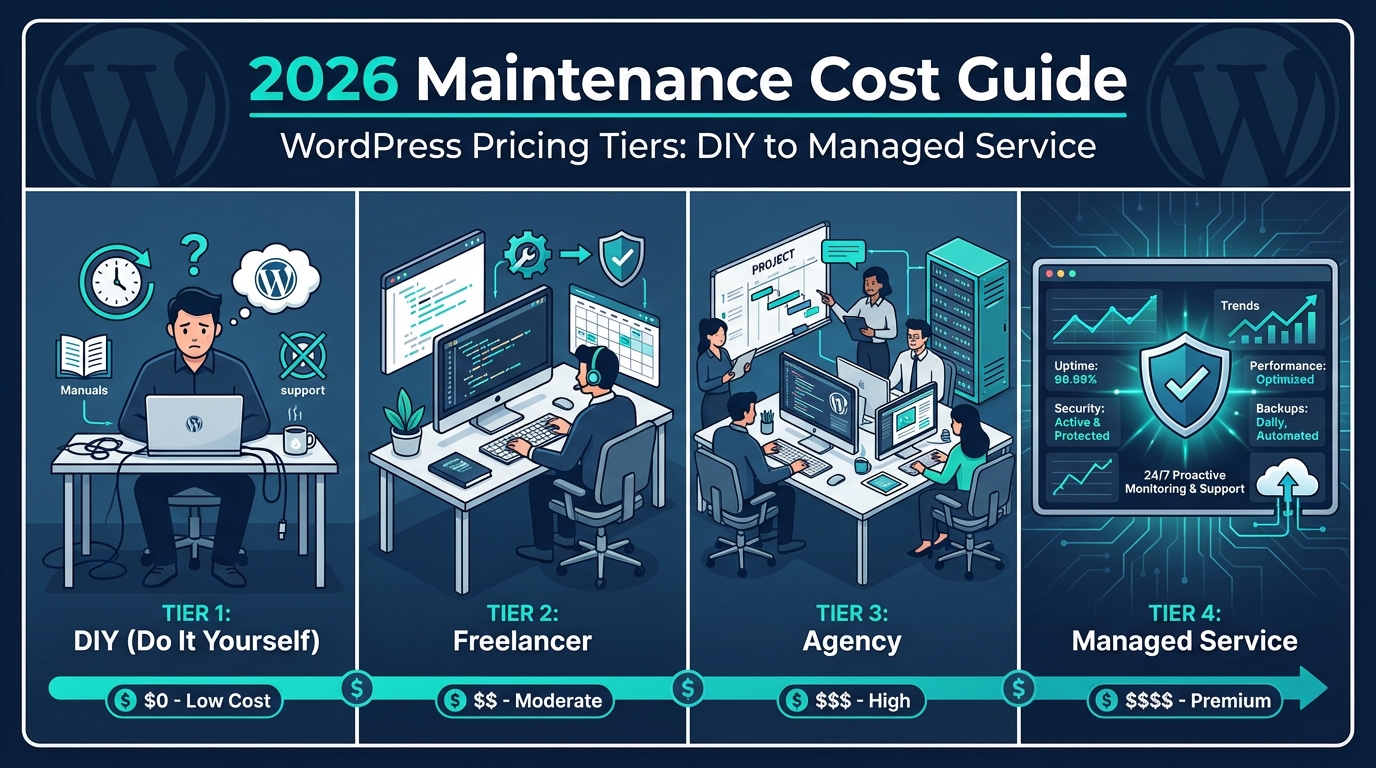
WPSitePlan's pricing varies by tier, but their entry plans typically land in the $25–$49/month range. Vimsy's WordPress care plans start higher — because the scope is genuinely broader.
Here's the math worth doing: if you're paying $30/month for maintenance and your site gets compromised once a year, a professional cleanup runs $300–$800 on the open market — before you factor in downtime, lost revenue, and any SEO impact from blacklisting. That's 10–26 months of your "savings" consumed in a single incident.
Cheap maintenance doesn't reduce cost. It relocates risk.
Across the WordPress audits we've performed, the most consistent finding isn't catastrophic failure. It's accumulated technical debt — bloated databases, outdated PHP environments, abandoned plugins still running in the stack, cron jobs silently misfiring — that no scheduled update ever surfaced. These sites didn't fail dramatically. They decayed quietly, and the real cost showed up during migrations, traffic spikes, or security incidents.
A rigorous WordPress maintenance checklist covers significantly more ground than most entry-tier care plans advertise. It's worth knowing what that gap actually contains before you commit to a plan.
The Honest Bottom Line
WPSitePlan delivers what it promises. Against doing nothing, it wins. Against a service that manages the full operational surface of a WordPress install — database health, cron stability, staged deployments, proactive hardening, PHP lifecycle management — the comparison becomes more complex.
This isn't a takedown. It's a category distinction. Most "WordPress maintenance" services are really "WordPress update" services. That's a real category with real value. It's just not the same thing as maintenance.
Your site's risk profile should determine which category you actually need — not the monthly price tag.
Look — I'm writing this because this is a problem I see constantly, and it's also exactly what we built Vimsy to solve. If you want professionals handling this instead of hoping nothing breaks, book a free call.
If you want to understand what a thorough care plan actually covers before making a decision, take a look at our WordPress maintenance services overview — it shows the full scope of what we manage.
Your WordPress install doesn't have an opinion about whether it's being maintained properly. It just starts failing quietly. The question is whether you find out before or after it costs you.